MobCash turns your phone into a small cash desk for RolsBet players. Three things must be in place before your first transaction.
An approved accountLeave your contact, complete verification with your manager and wait for security approval. Everything below applies only after that.
Working capitalYour float – money that moves between cash and balance as you serve players. It always stays your money.
The official groupInstructions, announcements and your manager live in the official agent group you join after approval.
Never deposit before approval. No official contact will ever ask you to pay before security approval is confirmed.
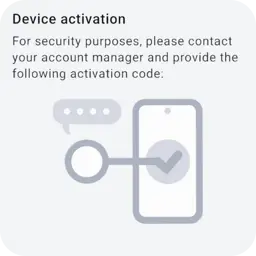 Device activation: send the code on this screen to your manager.
A deposit: the player hands you cash, you top up their RolsBet account from your agent balance. The whole flow takes under a minute.
Commission on deposits: 5%
1
Take the cash and the account ID
The player tells you their RolsBet account ID and hands you cash. Count it openly before opening the app.
2
Find the player in MobCash
Open MobCash, choose Deposit and enter the player's ID. Check that the name on screen matches the person in front of you.
3
Enter the amount
Type exactly the amount you received in cash. The app shows the total and your commission before you confirm.
4
Confirm the transaction
Confirm – the player's account is topped up instantly and your agent balance goes down by the same amount.
5
Keep the receipt
Save the in-app receipt until the player has checked their balance. It is your proof if anything is disputed.
Cash first, then confirm. Never top up a player on a promise to pay later – a confirmed deposit cannot be taken back.
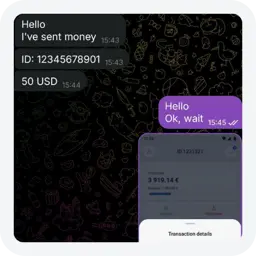 The player sends their account ID and the amount.
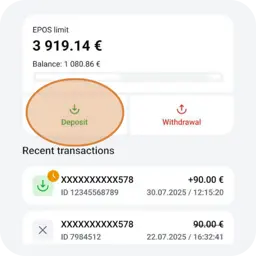 Open Deposit in the app.
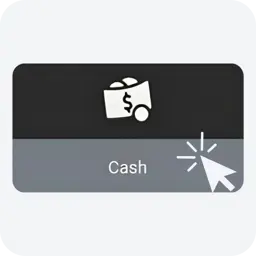 Choose the method.
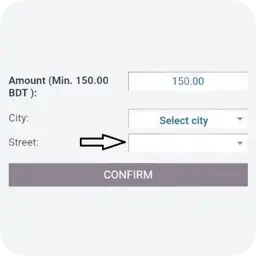 Enter the amount, then confirm.
A withdrawal is the reverse: the player requests a cash payout in their RolsBet account, you confirm the code in MobCash and pay out cash.
Commission on withdrawals: 2%
1
The player creates a payout request
In their RolsBet account the player chooses withdrawal through an agent and receives a payout code.
2
Get the code
The player shows or tells you the code. The code is all you need – never ask for the player's password or login.
3
Enter the code in MobCash
Choose Withdrawal and enter the code. The app shows the player's name and the exact amount to pay out.
4
Confirm, then pay
Confirm in the app first. Once it shows success, count out the cash. Your balance goes up by the same amount.
5
Keep the receipt
Same rule as deposits – keep the confirmation until the player has counted the cash and left satisfied.
App first, cash second. Pay out only after MobCash confirms the code. A failed code costs you nothing – cash handed out too early does.
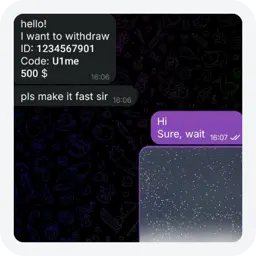 The player gives you their payout code.
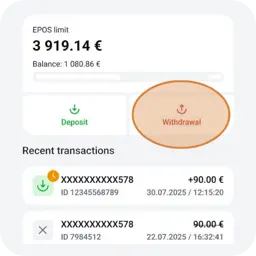 Open Withdrawal in the app.
Your agent balance is the engine: deposits drain it, withdrawals refill it, commission grows it.
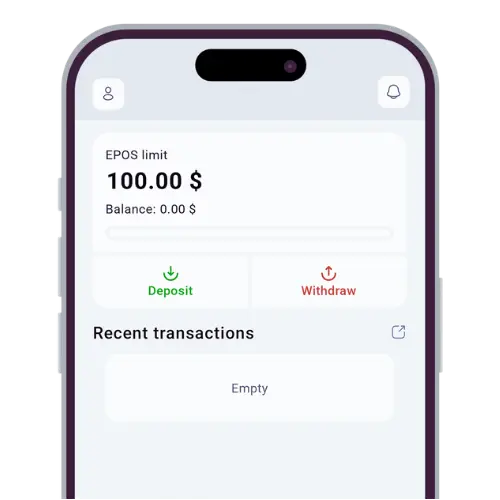 Your agent app – limit, balance and recent transactions.
- Top up your balance using the top-up methods listed for your region.
- Commission is credited automatically on every approved transaction.
- Keep enough float for a busy day – an empty balance means turning players away.
Full rates, formula and worked examples
Most agent problems are not technical – they are social. These rules keep you and your players safe.
Always
- Verify any new manager through the verification page
- Count cash openly in front of the player
- Check the name in the app before confirming
- Keep receipts until the transaction is settled
Never
- Send documents or codes in open chats
- Pay anyone who promises faster approval
- Hand out cash before the app confirms
- Share your login or password with anyone
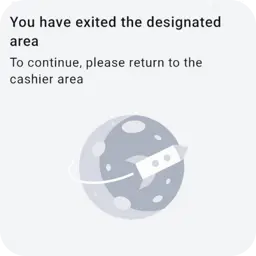 Stay in your cashier area to keep working.
Did someone write to you?
Check the handle against the official directory before replying.
Quick fixes for the four situations agents actually run into.
Do not try to fix it with a second transaction. Contact support immediately with the receipt – corrections are made centrally.
Codes expire. Ask the player to reopen the withdrawal request and generate a fresh code – and never pay on a failed code.
Stop. Do not confirm a transaction for someone whose name does not match. Ask the player to double-check the account ID.
Take no cash while offline. Ask players to come back later and report the outage in the official agent group.
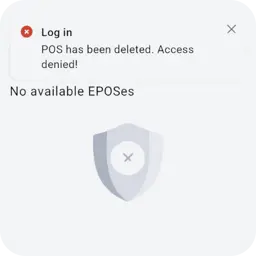 Access denied – POS removed. Contact your manager.
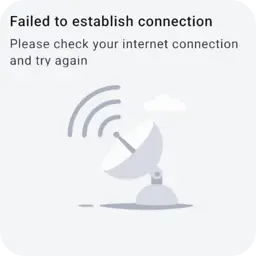 No connection – check your internet and retry.
Login, device activation and password help
Still stuck?
Write to the official team – replies come through the channel you choose.